This guide explains how to configure and route SMS messaging in 3CX.
Initial Configuration
Assign the Default Route
Before SMS can be used, you must assign the SMS destination.
The destination can be:
- A specific extension
- A Ring Group / Queue
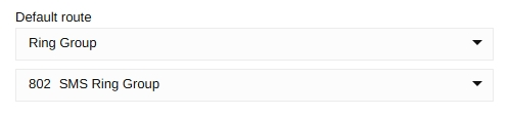
Choose the option that best suits how your business manages incoming SMS messages.
IMPORTANT!
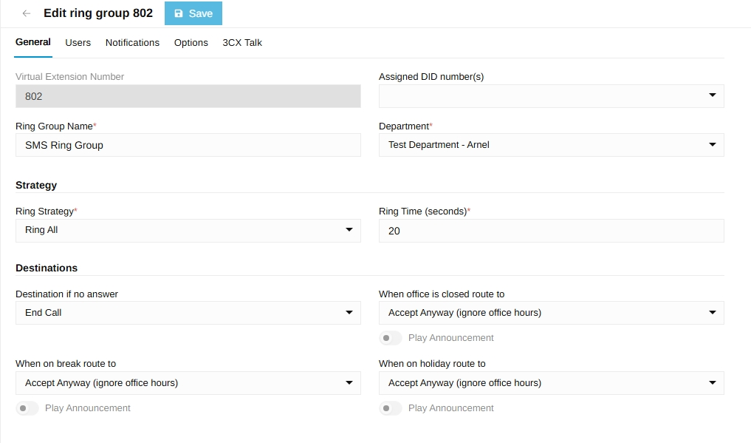
Ensure the destination is configured to accept calls/messages at all times (or according to your business requirements).
If you assign SMS directly to an individual extension, ensure that:
- The extension is actively monitored during business hours.
- Alternative routing is configured during breaks, meetings, or after hours.
- Messages are not left unattended if the assigned user is unavailable.
Using a Ring Group or Queue is generally recommended when multiple staff members manage SMS conversations.
Adding Users
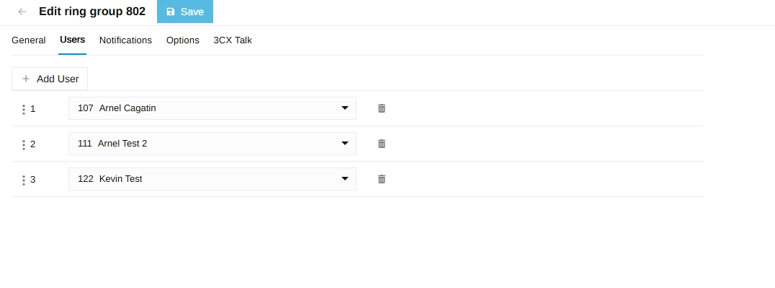
Add all users who need access to incoming SMS conversations.
When an SMS is delivered to a Ring Group or Queue:
- All members will initially see the incoming conversation.
- Any available user can respond.