
Please follow these troubleshooting steps to resolve the issue:
Check firewall and security settings on the affected laptops to ensure the Presentation Pod software is not being blocked by any endpoint security tools or Windows Defender Firewall.
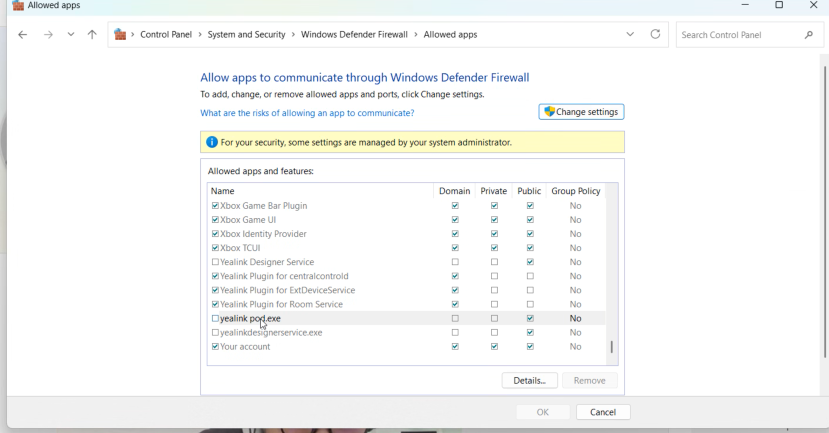
Reinstall the Presentation Pod software on the problematic laptops:
Unplug the WPP30 dongle.
On the affected PC, go to
C:\Program Files\Yealink\Yealink Presentation Podand delete the folder (if present).Plug the WPP30 back in and run the software installer directly from the dongle to perform a fresh installation.
Download link: Yealink Wireless Presentation Pod_Windows.msi
Alternative workaround (AP BYOD License):
If the above steps do not resolve the issue, please provide us with the customer name, project name, and the A40’s MAC address so we can check with our pre-sales engineer Bella. If the customer is eligible for an AP BYOD License, enabling this feature will allow the camera sharing function to work without requiring the Presentation Pod software to be installed on the laptops.